
When people think about accessibility, they often picture ramps, elevators, and accessible parking spaces.
While these are important, many workplace barriers are less visible. They can be found in how information is shared, how meetings are run, how jobs are designed, and how employees are supported.
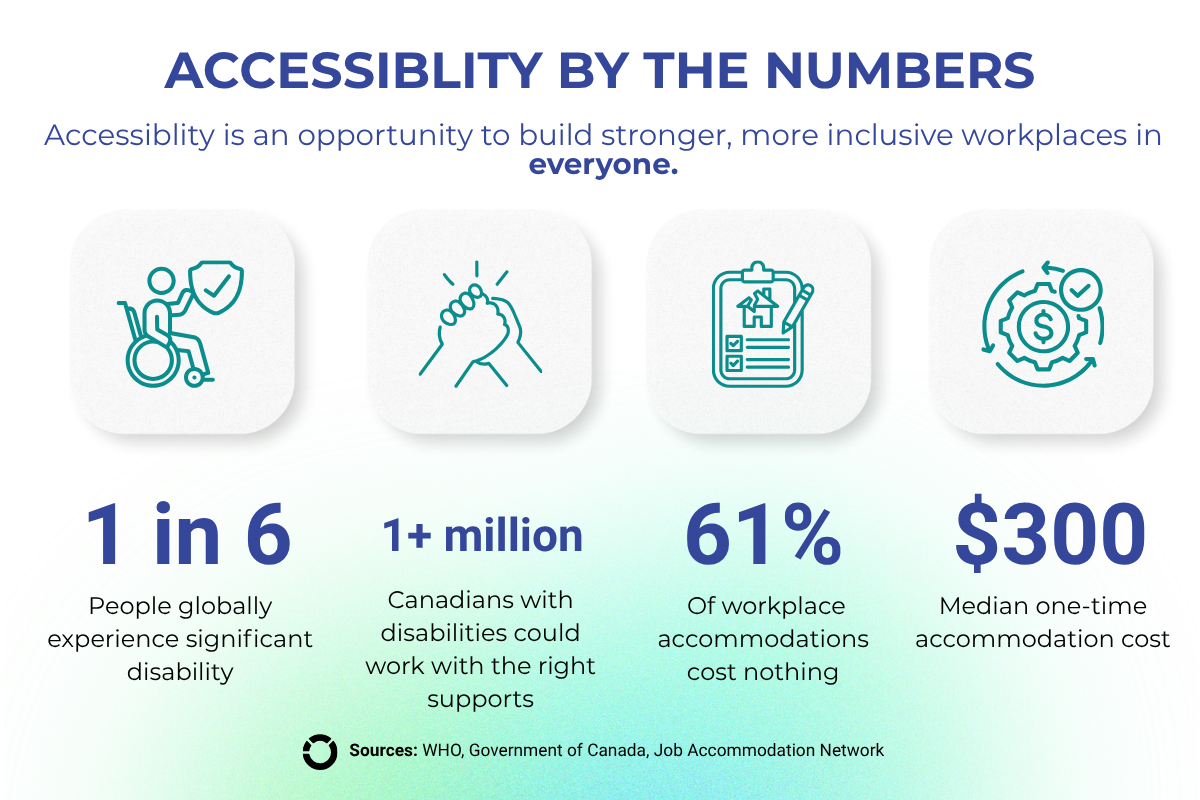
Accessibility is not a small issue and affects more people than many realize. While it is often discussed in the context of disability, many accessibility improvements also benefit mature workers, caregivers, newcomers, and employees managing temporary injuries or health challenges.
So where can employers start? Here are five simple ways to make workplaces more accessible for everyone.
- Make Communication Clearer
Clear communication helps reduce confusion before it becomes a barrier. This can include:
- Written instructions
- Meeting notes
- Clear expectations and deadlines
- Follow-up summaries after important conversations
These practices support employees with disabilities, but they also help new hires, hybrid workers, busy teams, and anyone managing competing priorities.
- Build in Flexibility Where Possible
Accessibility is often associated with physical spaces, but flexibility in work design can be just as important.
Adjusted start times, flexible scheduling, remote work options, or alternative arrangements can help employees manage appointments, caregiving responsibilities, transportation barriers, or health-related needs.
This matters in a changing labour market. As B.C.’s population ages, WorkBC projects that 65% of job openings over the next decade will come from the need to replace retiring workers. Employers that build flexibility into how work gets done may be better positioned to attract and retain talent.
- Use Accessible Technology and Documents
Captions, readable fonts, accessible PDFs, plain layouts, and mobile-friendly documents are often treated as accessibility features. But they are also a usability feature.
Many common workplace platforms already include accessibility tools. Microsoft 365 and Google Workspace offer features such as live captions, accessibility checkers, screen reader support, and collaborative document editing.
Accessible technology helps people working remotely, reading on mobile devices, learning new systems, or participating in noisy environments. It also makes information easier to find, understand, and act on.
- Use Plain Language
Complex policies, jargon-heavy job postings, and long instructions can unintentionally create barriers.
Plain language helps:
- Improve understanding
- Reduce confusion
- Save time
- Make information easier to act on
This benefits job applicants, employees, clients, customers, and community members, not only people with cognitive, learning, or communication-related disabilities.
- Offer More Than One Way to Participate
Not everyone communicates, processes information, or contributes ideas in the same way.
Some people are most comfortable speaking in a meeting. Others prefer writing, one-on-one conversations, text chats, surveys, or time to reflect before responding.
Many organizations already have tools that support different participation styles, allowing employees to contribute through chat, comments, shared documents, polls, and asynchronous collaboration.
Offering more than one way to participate improves accessibility while also supporting stronger ideas, better decision-making, and more inclusive team culture.
Looking to Learn More?
National Accessibility Week is a good opportunity to look at small changes your workplace can make now. The same practices that improve accessibility often make workplaces clearer, more flexible, and easier for everyone to navigate.
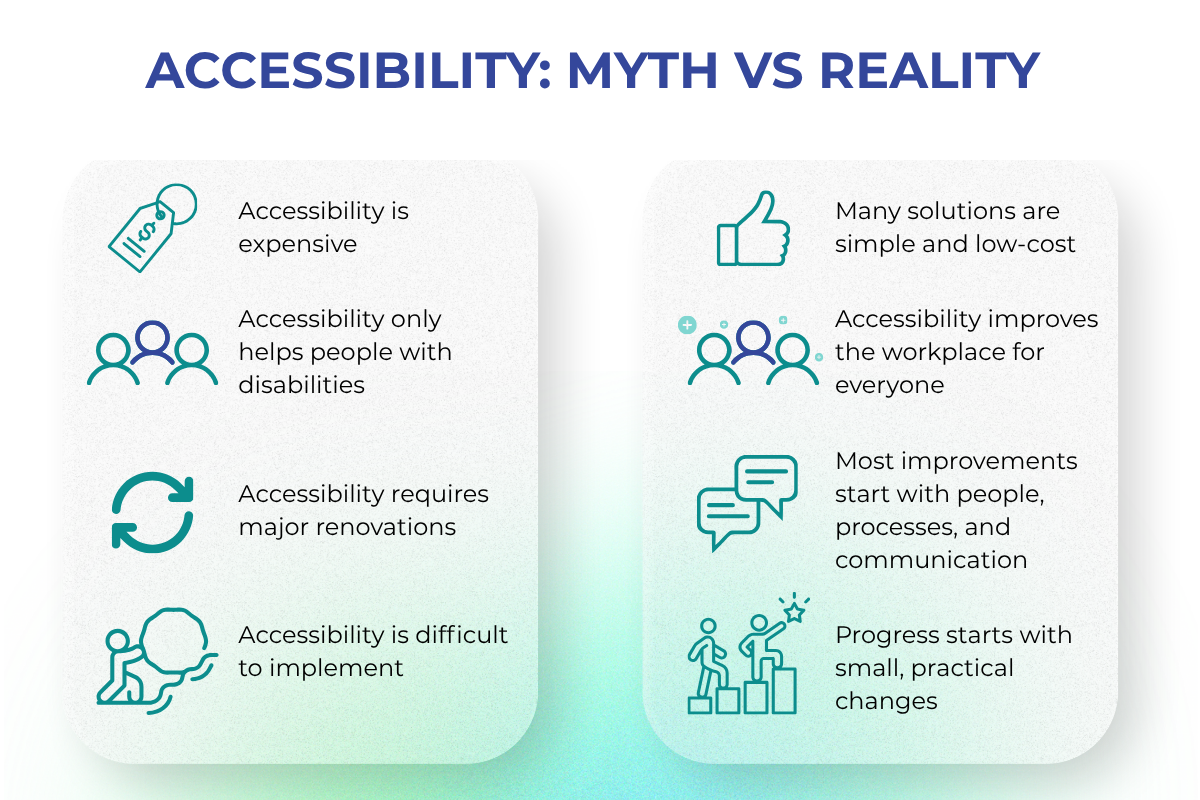
The good news? Many of the most effective workplace changes are simple, practical, and benefit more people than employers may realize.
Resources
Further Reading